


As a strong advocate of recycling, I'm always for reusing old servers for all sorts of cool fun and personal projects. Being able to use all the features on older servers however, becomes a chore when you combine the trinity of licencing, old software and hardware.
After sourcing an iDRAC6 Enterprise Card from everyone's favourite second-hand shopping website, the only thing to get working is the software side of the equation, as even though Java is lauded for it's "write once, run anywhere" approach, Dell and it's partners have seemed to abandon the iDRAC6 remote access software in the past.
This tutorial assumes you already have access to the web interface. Log in with the default username of
rootand the password ofcalvinif you haven't yet changed the password.
1. Download the KVM software and libraries
From your server
With the IP address of your iDRAC6 web interface, download one of each file for your specific client operating system, depending on what you need.
We haven't tried this on any Windows, Linux and OS X ARM devices. You may need to install the AMD64 version of Java 8 and run it through your operating system of choices' architecture emulation layer of choice.
- avctKVM:
- https://[ip here]/software/avctKVM.jar
- avctKVMIO:
- https://[ip here]/software/avctKVMIOWin32.jar
- https://[ip here]/software/avctKVMIOWin64.jar
- https://[ip here]/software/avctKVMIOLinux32.jar
- https://[ip here]/software/avctKVMIOLinux64.jar
- https://[ip here]/software/avctKVMIOMac64.jar
- avctVM:
- https://[ip here]/software/avctVMWin32.jar
- https://[ip here]/software/avctVMWin64.jar
- https://[ip here]/software/avctVMLinux32.jar
- https://[ip here]/software/avctVMLinux64.jar
- https://[ip here]/software/avctVMMac64.jar
Java 8
You will also need Java 8 installed, which you can retrieve from AdoptOpenJDK here. Even if you have Java 8 already installed, I recommend downloading a second copy, as we will need to re-enable some insecure encryption algorithms in a later step.
Top tip: Especially within Microsoft Windows, de-select "Add to Path" when this option comes up in your installer, you do not want to have this version of Java as your default, especially in 2022.
2. Laying out your files
Create a blank folder with all your files, as well as a blank lib folder for
the shared libraries we will need to extract.
All the files dumped into one place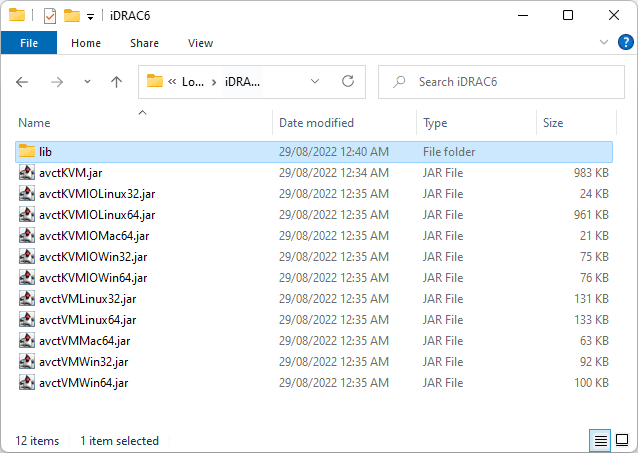
Extract your avctKVMIO and avctVM .jar files and place the resultant files
(ignoring META-INF) into the lib folder. You can do this with 7zip on Windows,
and unzip on Linux.
You might not have all the files in the 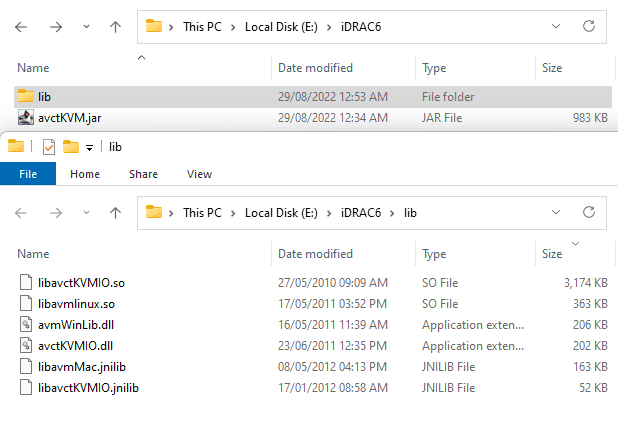
/lib folder if you're not, for example, doing this on OSX
3. Modifying Java
To allow for avctKVM to run, we need to lower our security by re-allowing
insecure TLS algorithms, since we've come a long way since 2012.
Find the /jre/lib/security/java.security file within the Java installation,
before removing all algorithms set in the jdk.tls.disabledAlgorithms option.
Before
# Note: This property is currently used by the JDK Reference implementation.
# It is not guaranteed to be examined and used by other implementations.
#
# Example:
#   jdk.tls.disabledAlgorithms=MD5, SSLv3, DSA, RSA keySize < 2048
jdk.tls.disabledAlgorithms=SSLv3, TLSv1, TLSv1.1, RC4, DES, MD5withRSA, \
    DH keySize < 1024, EC keySize < 224, 3DES_EDE_CBC, anon, NULL, \
    include jdk.disabled.namedCurves
After
# Note: This property is currently used by the JDK Reference implementation.
# It is not guaranteed to be examined and used by other implementations.
#
# Example:
#   jdk.tls.disabledAlgorithms=MD5, SSLv3, DSA, RSA keySize < 2048
jdk.tls.disabledAlgorithms=
With IBM Semeru, I found my installation at
C:\Program Files\Semeru\jdk-8.0.345.1-openj9\jre\lib\security\java.securityOn Ubuntu, the file was over at
/usr/lib/jvm/java-8-openjdk-amd64/jre/lib/security/java.securityYour kilometerage may vary for the location of these files.
Copy your full path to the java.exe or java executable, you will need this
on the next step.
4. Start Script
Windows
Create a batch file named ./start.bat with the following, remembering to
change the IP address, password and Java location.
"C:\Program Files\Semeru\jdk-8.0.345.1-openj9\bin\java.exe" ^
  -cp avctKVM.jar ^
  -Djava.library.path=.\lib ^
  com.avocent.idrac.kvm.Main ^
  ip=10.0.0.215 ^
  vmprivilege=true ^
  helpurl=https://gosystem.co.uk/blog/2022-08-14-idrac6-without-javawebstart ^
  title=My+Home+Server ^
  user=root ^
  passwd=calvin ^
  kmport=4559 ^
  vport=4559 ^
  apcp=1 ^
  version=2 ^
Linux
Create a shell script named ./start.sh with the following, remembering to
change the IP address, password and Java location.
#!/bin/bash

/usr/lib/jvm/java-8-openjdk-amd64/bin/java \
  -cp avctKVM.jar \
  -Djava.library.path=./lib \
  com.avocent.idrac.kvm.Main \
  ip=10.0.0.215 \
  vmprivilege=true \
  helpurl=https://gosystem.co.uk/blog/2022-08-14-idrac6-without-javawebstart \
  title=My+Home+Server \
  user=root \
  passwd=calvin \
  kmport=4559 \
  vport=4559 \
  apcp=1 \
  version=2 \
Don't forget to make your shell script executable!
$ chmod +x start.sh
5. Test
Try running your script! You should see the VGA output from your server, and be able to control any mouse input such as for Windows Server.
Not sure why you would run the software in Windows Subsystem for Linux, but it works there too!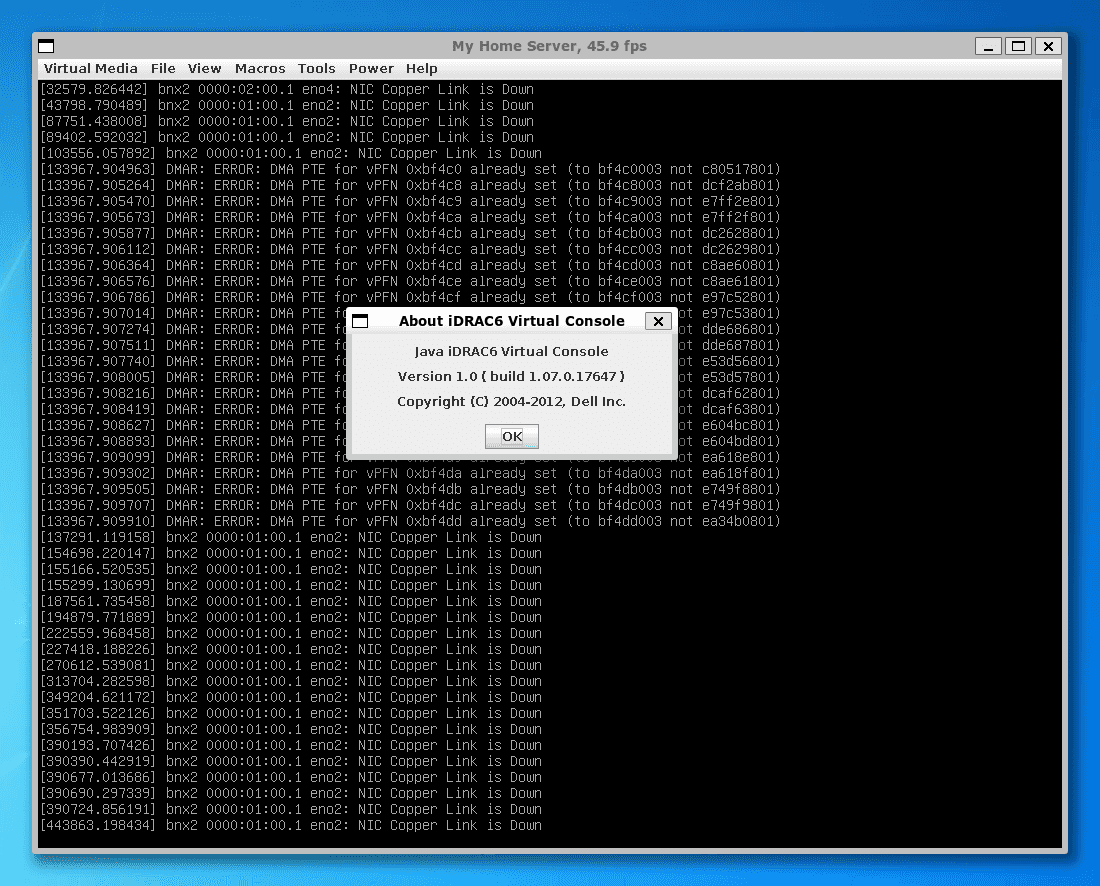
Known Issues
-
The first time I ran the software on Linux, it immediately crashed with the following error:
free(): invalid pointerNot sure what happened, but it hasn't crashed since running it again.
Found any additional problems with iDRAC or this post? Contact us and help the goSystem community by letting us know.

